

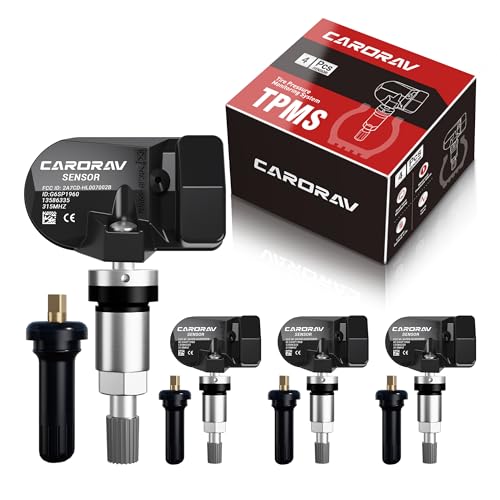
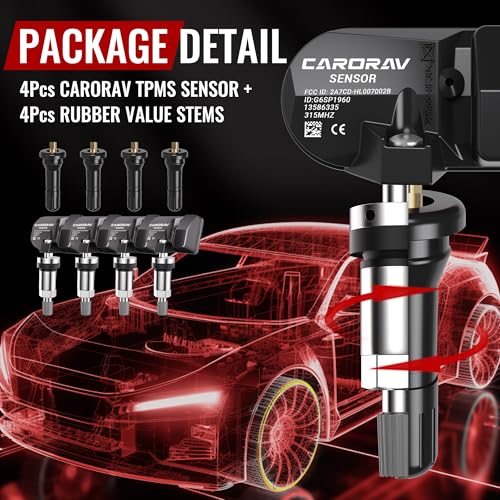




CARORAV TPMS Sensor GM, 4-Pack Tire Pressure Monitoring System Sensor
Original price was: $56.93.$53.94Current price is: $53.94.
| Manufacturer | CARORAV |
|---|---|
| Brand | Brand: CARORAV |
| Model | TPMS Sensor GM |
| Item Weight | 8.1 ounces |
| Package Dimensions | 4.17 x 3.62 x 2.4 inches |
| Item model number | CAR6196-4 |
| Batteries | 2 CR2 batteries required. (included) |
| Manufacturer Part Number | CAR6196-4 |
| Date First Available | December 29, 2022 |
-
 Free Shipping (4-7 Business Days)
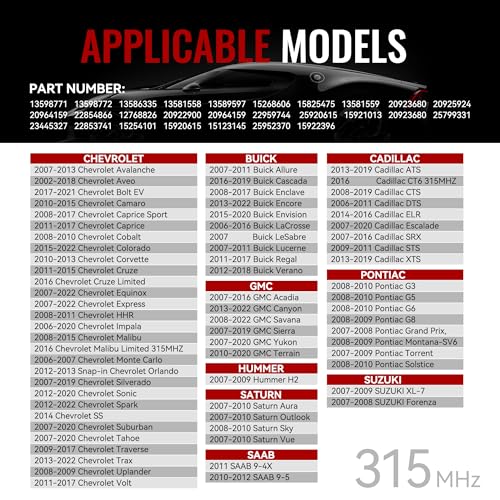
【FITMENT】The CARORAV tire pressure sensor fit for most GM vehicles. For Buick Allure Enclave Encore Envision Lucerne Regal, Cadillac ATS CTS XTS, Chevy Colorado Silverado Impala Malibu, GMC Yukon Sierra ect. Please refer to Product Description for specific application of model and year
【REPLACE PART NUMBER】The CARORAV tire pressure monitor system (TPMS) has been pre-programmed and tested to ensure trouble-free installation and performance. OE part numbers: 13598771, 13598772, 13586335, 13581558, 13589597, 15268606, 15825475, 13581559, 20923680, 20925924, 20964159, 22854866, 12768826, 20922900, 20964159, 22959744, 25920615, 15921013, 20923680, 25799331, 23445327, 22853741, 15254101, 15920615, 15123145, 25952370, 15922396
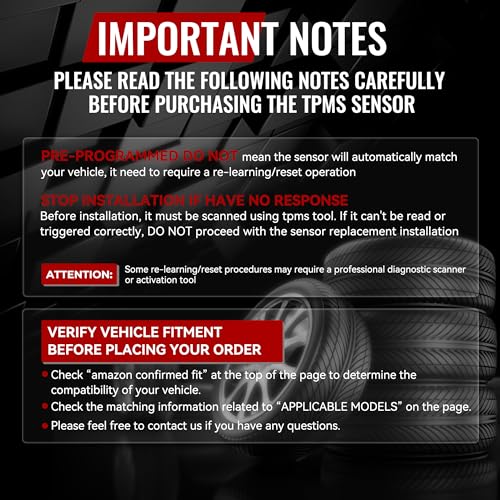
[PRE-PROGRAMMED]: PRE-PROGRAMMED DO NOT mean the sensor will automatically match your vehicle, it need to require a re-learning/reset operation. And some re-learning/reset procedures may require a professional diagnostic scanner or activation tool
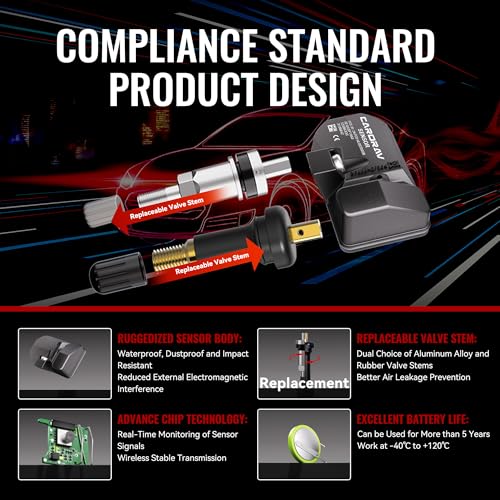
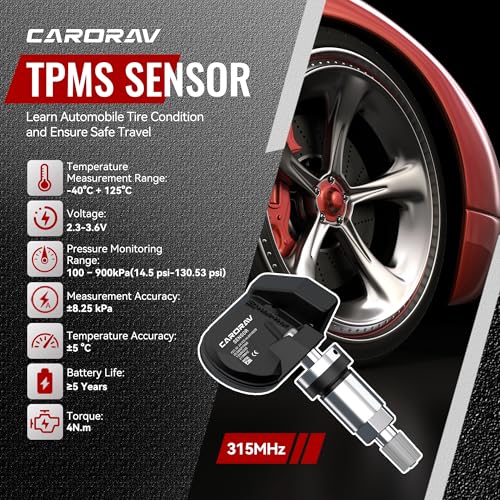
【EXCELLENT QUALITY】The TPMS sensor with high level of tire monitor accuracy can monitor the tire condition in real time. The battery can be used normally for more than 5 years, and can withstand operating temperatures from -40°c to +125°c
【NO PROGRAMMING】The CARORAV tire pressure monitor system (TPMS) have been pre-programmed specifically, just use the scan tool to activate
【RELEARN GM TPMS SENSOR】MANUAL RELEARN: 1.OBDII connector is not required, 2.Confirm TPMS sensors are properly installed, 3.Adjust tire pressures to placard value, 4.Apply parking brake 5.Turn vehicle to ON/RUN 6.Scroll the uplevel on the right side of the steering wheel until Tire pressure is displayed—with Uplevel DIC, 7.Push and hold Set/Reset button—with Uplevel DIC, 8.Horn chirps 2x,DIC displays TIRE LEARNING ACTIVE, 9.Use tool to activate LF sensor, 10.single horn sounds, 11. Repeat for RF/RR/LR tires, 12.Horn chirps 2x for relearn complete.(Pls contact us if you have any other questions)
【RELEARN GM TPMS SENSOR】OBDII RELEARN: 1.OBDII connector is required, 2.Confirm TPMS sensors are properly installed, 3.Adjust tire pressures to placard value, 4.Activate TPMS tool on left front tire sidewall next to the valve stem, 5.Repeat for Rf/RR/LR tires, 6.Apply OBD connector to DLC, 7.Tern ignition to ON, 8.Press OK on TPMS Tool to transfer date to ECU, 9.Disconnect OBD connector from DLC, 10.Turn ignition to OFF then start the engine, 11.Drive for at least 5 minutes at 28 mph
Related products


